

Tech Conversor
TopSolid'Wood generates the MPR or XML programs; your machine speaks another language. Tech Conversor imports them, applies the batch material and picks the right cutter for each machining process according to the Tools setup. If the project comes straight from TopSolid'Wood, it finds the material list by itself. Output is validated file by file against native programs from your machine.
Key features
Batch conversion to 10 machine formats
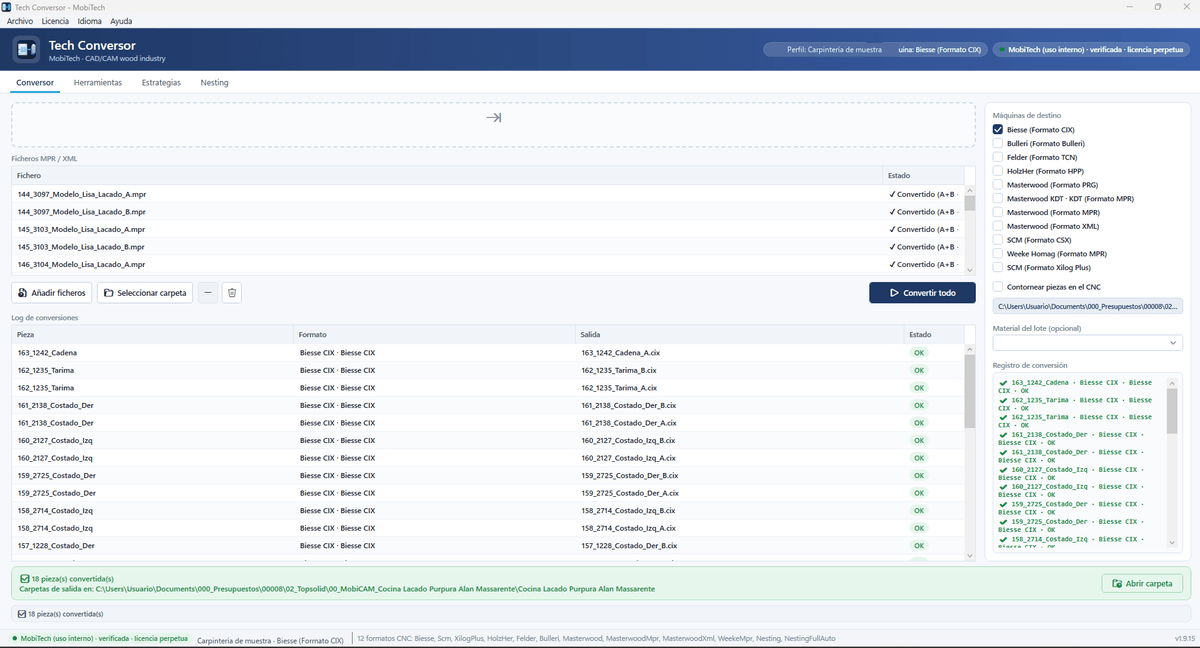
Add files or a whole folder and convert everything at once: Biesse (CIX), Bulleri, Felder (TCN), HolzHer (HPP), Masterwood (PRG, MPR, XML), Masterwood KDT, SCM (CSX), SCM (Xilog Plus) and Weeke Homag (MPR). Per-piece conversion log.
Batch material → the right cutter
Assign the material on import, or let Tech Conversor read it from the TopSolid'Wood material list. Every machining process gets the cutter that matches it according to the pools configured per material.
Profiles per company and per machine
Every company has its profile and, inside it, its machines with brand, output and data sheet. Cutters are defined once per machine: MPR operation type, diameter, tooth and minimum and maximum widths.
Machining strategies
For formats without a native pocket cycle: concentric spiral sweep, radial overlap, clearing direction, depth passes and feeds. Formats with native cycles delegate to the machine firmware.
Contour pieces on the CNC, if you need to
If you cut on the panel saw, edge and only machine, the closed perimeter of the MPR is skipped with a warning because the piece already arrives to size. A switch enables it when contouring is part of the process.
Nesting module, licensed separately
2D board optimisation, first and second step CNC generation, QR labels and floor viewer. It uses the same cutter, material and pool configuration as the converter.
The importer: files, target machines and batch material
Drag the MPR or XML files, tick the target machines, set the batch material if the project does not carry it and press Convert all. The log shows every piece with its format, output file and status, and the output folder is one click away.
TopSolid'Wood processes → cutter pools by material
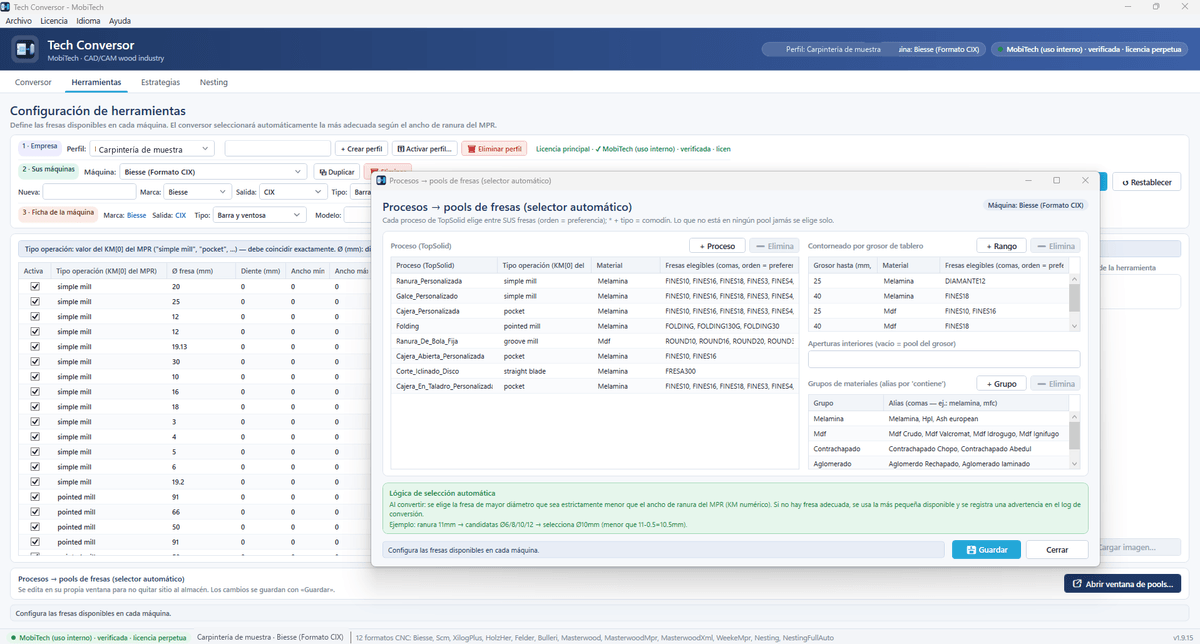
Every TopSolid'Wood process (groove, rebate, pocket, folding, angled cut…) has its MPR operation type, its material and its eligible cutters in order of preference, with wildcards per type. Material groups by alias (melamine, MDF, plywood, chipboard…) and contouring by board thickness. Selection logic: the largest cutter strictly smaller than the groove width; if none, the smallest available plus a warning in the log.
Global strategies for formats without native cycles
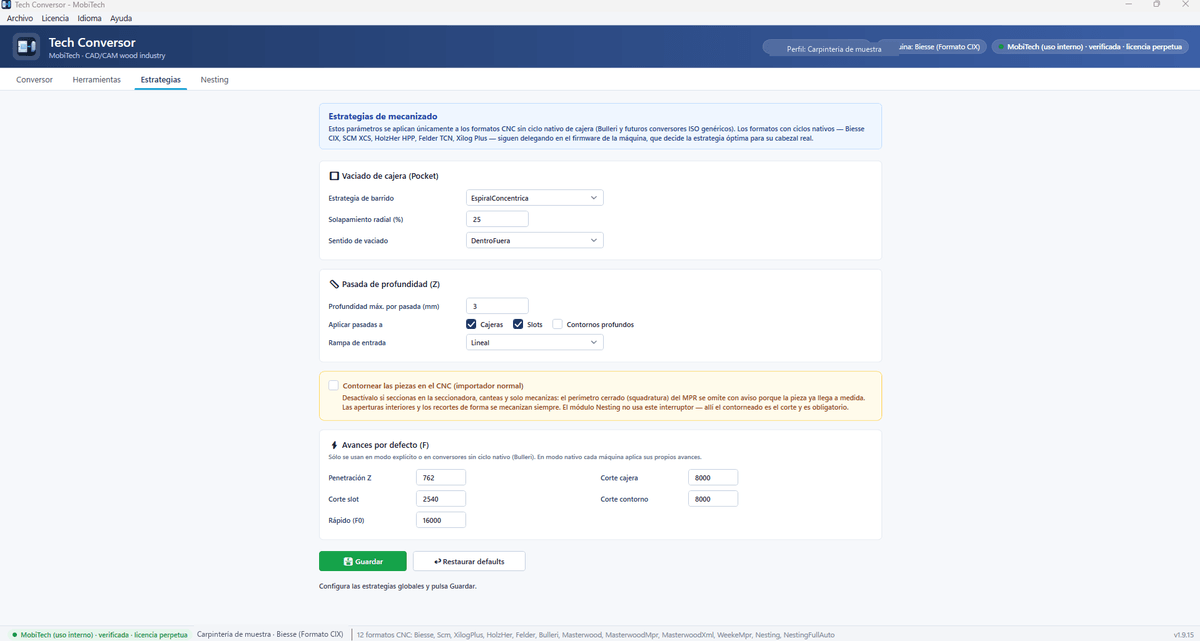
Pocket clearing with concentric spiral sweep, radial overlap and clearing direction; depth passes with maximum depth per pass and entry ramp; default feeds for plunge, slot, pocket and contour. Biesse CIX, SCM XCS, HolzHer HPP, Felder TCN and Xilog Plus keep delegating to the machine firmware, which decides the optimal strategy for its real head.
Load the project and the module understands every piece
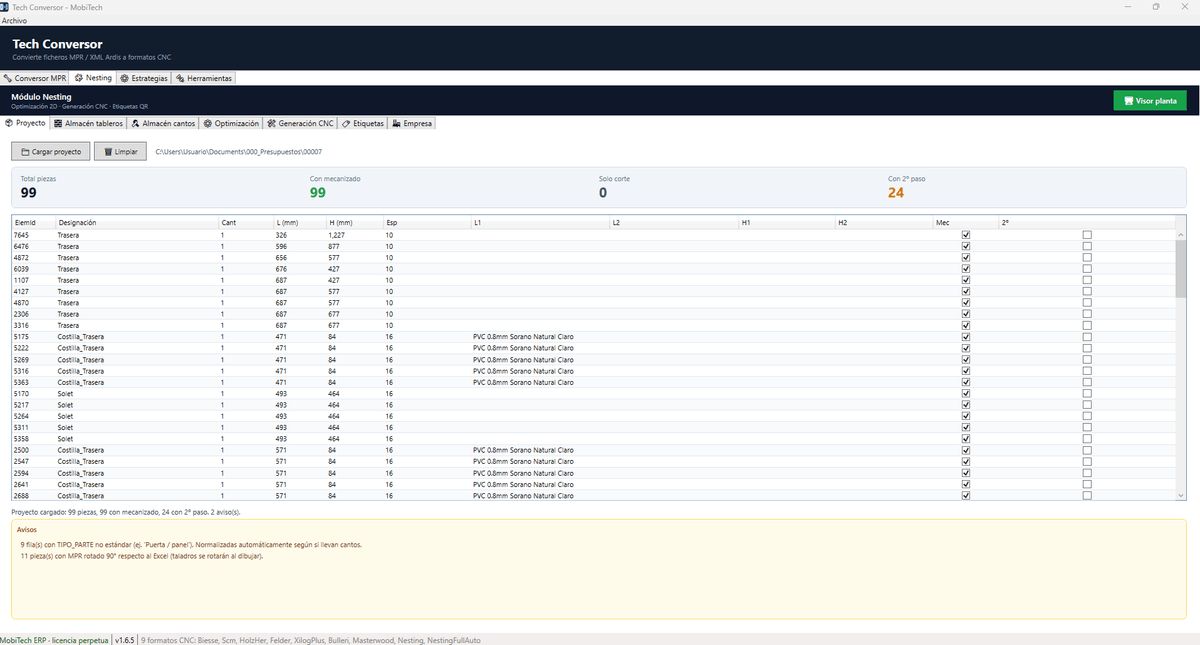
On loading the project it counts total pieces, those with machining, cut-only pieces and those needing a second step on face B, with their L1, L2, H1 and H2 edges. Warnings say exactly what was normalised: non-standard part types or pieces whose MPR is rotated with respect to the spreadsheet.
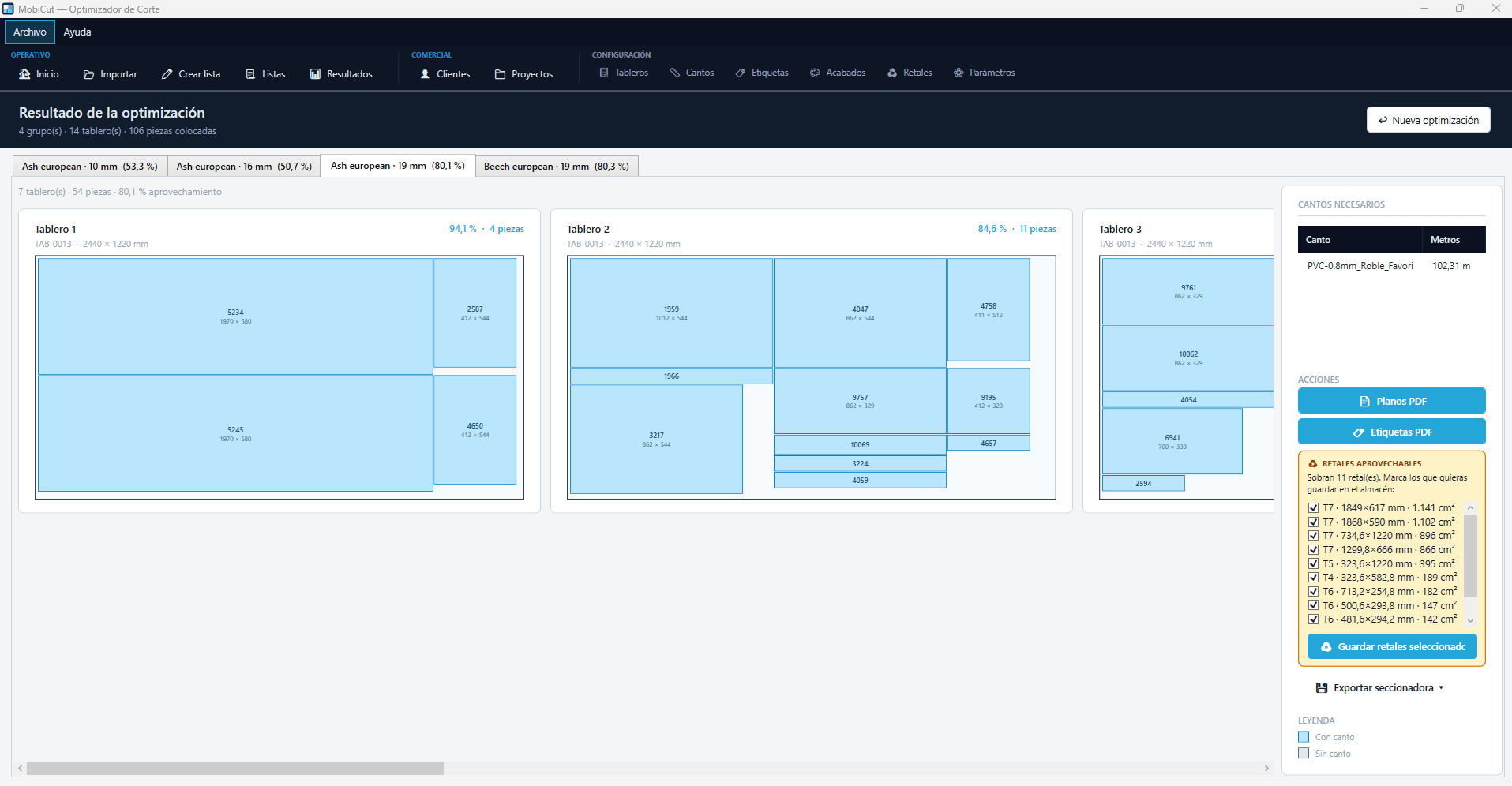
Optimisation by material and thickness, with the board length along the grain axis
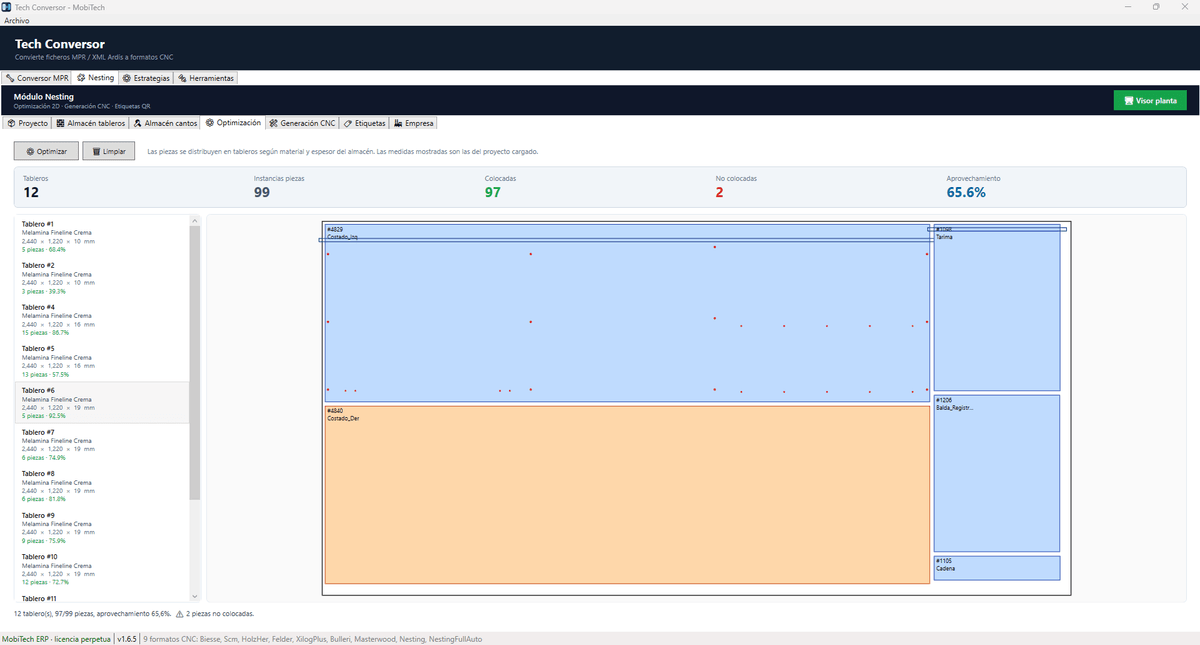
Pieces are distributed on boards by material and thickness from the store, and the yield is shown board by board and in total. Mandatory rule of the board store: the Length dimension is always the X axis, the grain direction; the optimiser never rotates pieces against it. Edgeband store with a cross-reference text identical to the L1, L2, H1 and H2 columns of the spreadsheet.
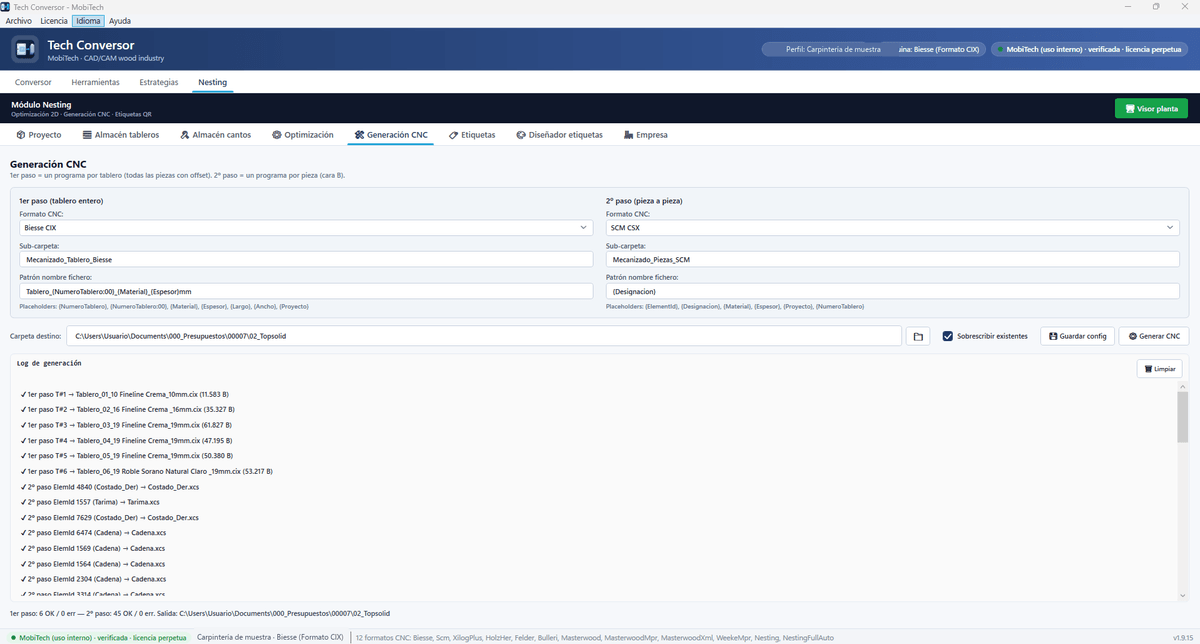
First step per board, second step per piece, each in its own format
The first step generates one program per board with all pieces and their offset; the second, one program per piece for face B. Each step can go to a different format, even different brands, with its own subfolder and file name pattern. The log summarises how many programs of each step succeeded.
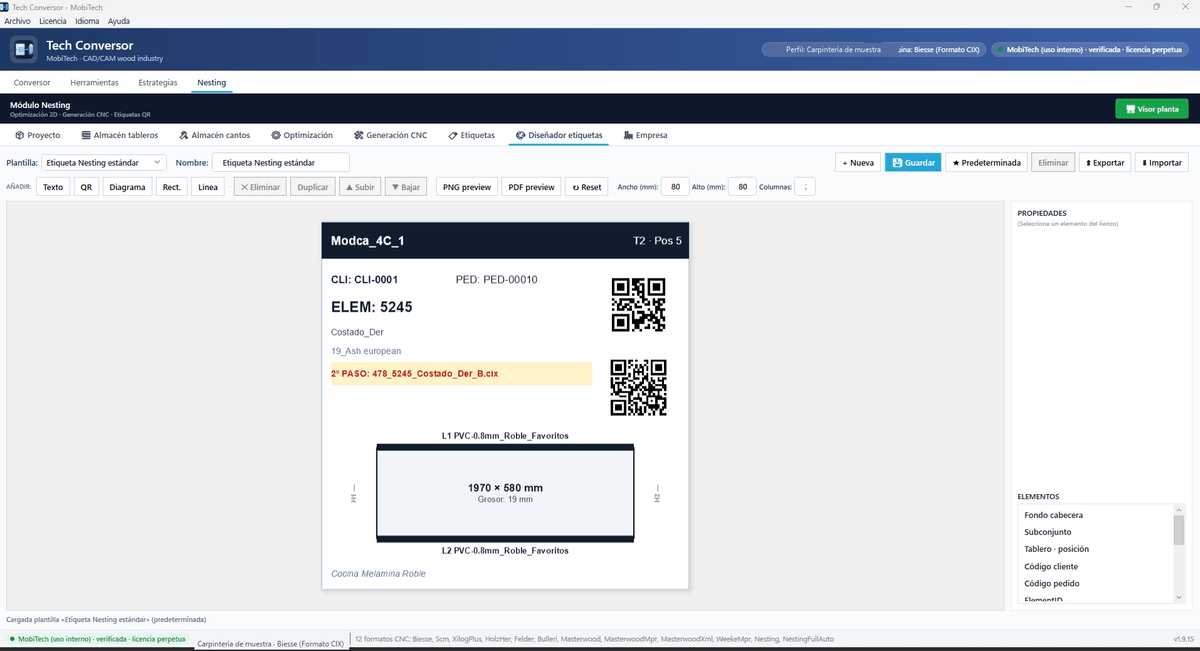
QR labels with second-step warning and floor viewer
Label designer with board and position, customer and order codes, ElementID, material and thickness, edges and two QR codes: the piece's and the second-step program's, highlighted when the piece needs it. In the floor viewer the operator identifies each piece on the board and its label comes out. Company settings: edgebander with trimming, default edge thickness, gap between pieces and inner board margin.
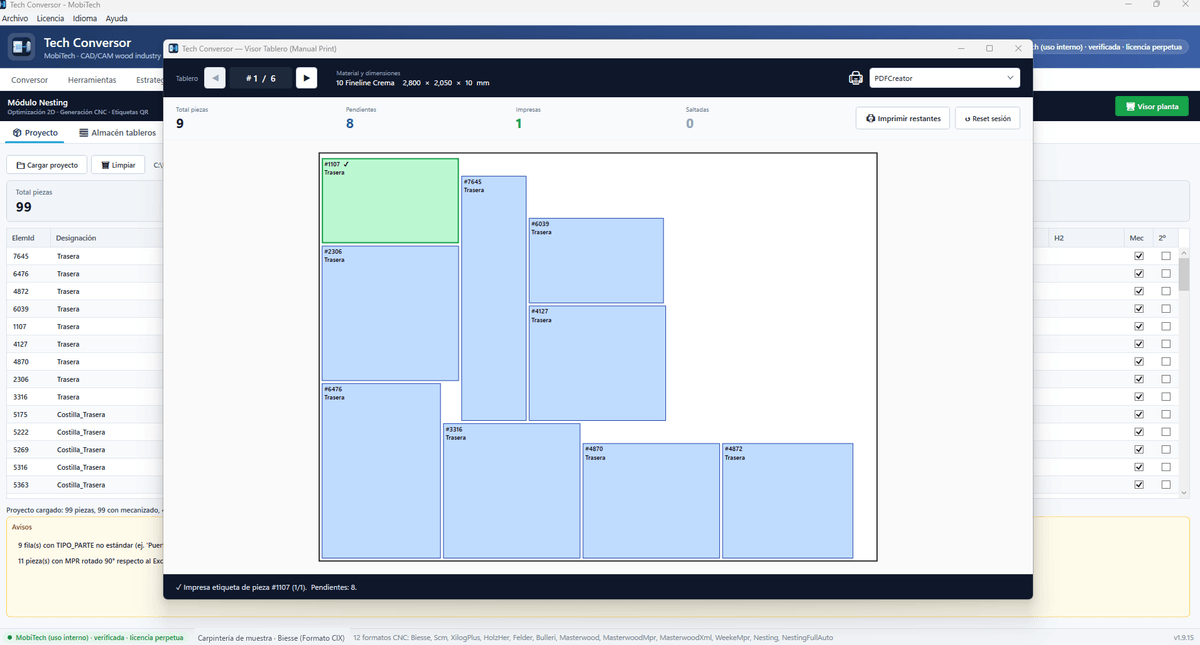
Floor viewer: the board on screen and the label in one click
At the machine station the operator opens the finished board, sees every piece in its position and prints its label by selecting it. Counter of pending, printed and skipped pieces, a button to print the remaining ones and a session reset per board.
Technical specifications
- Input: MPR and XML programs generated by TopSolid'Wood, per file or whole folder
- 10 machine formats: Biesse CIX · Bulleri · Felder TCN · HolzHer HPP · Masterwood PRG, MPR and XML · Masterwood KDT · SCM CSX · SCM Xilog Plus · Weeke Homag MPR
- Automatic cutter selection by material and TopSolid'Wood process; material list read from the project
- Profiles per company and machine; tool store with operation type, diameter, tooth and widths
- Pocket, pass and feed strategies for formats without native cycles
- Output validated file by file against native machine programs
- Nesting module licensed separately: 2D optimisation, 1st and 2nd step CNC, QR labels, floor viewer
- 5 languages: Spanish, English, Italian, French and German
- Perpetual licence; same engine as the MobiTech ERP Tech Conversor module
Other MobiTech software
Want to see it working with your own files?
Tell us how you work and we will show you with a real project from your factory and your machines.
Demo with your own files