

MobiCut
MobiCut receives the cutting list straight from TopSolid'Wood, optimises it respecting the grain and using the offcuts in stock, prints each piece's QR label and generates your panel saw program. Before cutting, the simulation shows the whole cycle on screen. Perpetual licence: pay once, it's yours.
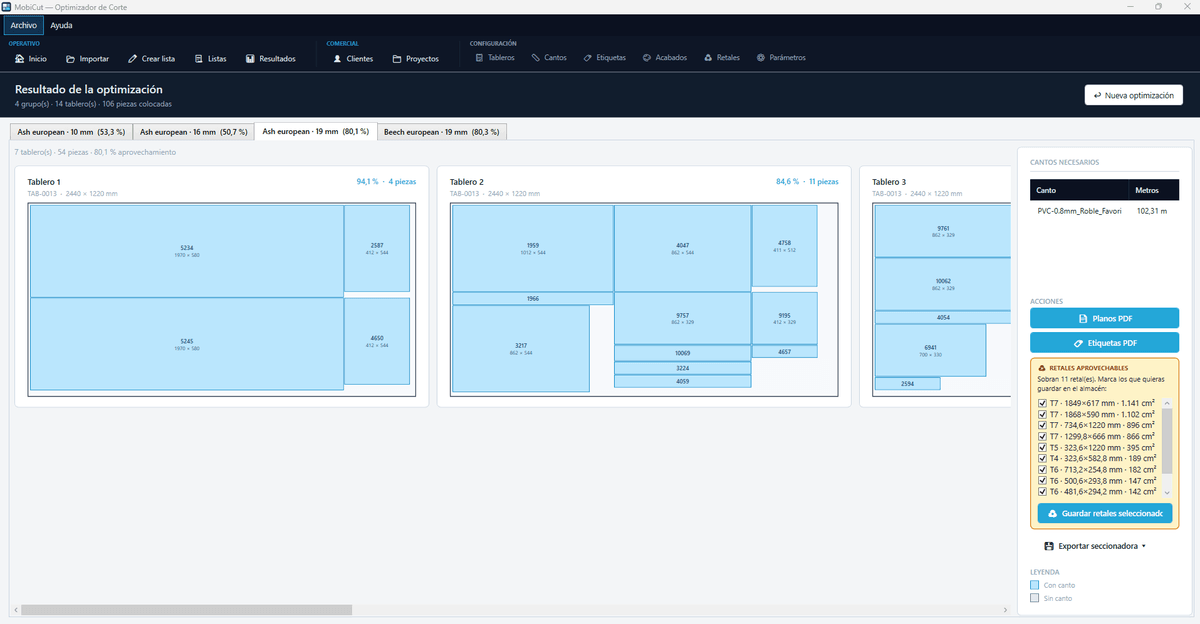
Key features
One-click import from TopSolid'Wood
MobiCut recognises the TopSolid'Wood spreadsheet: customer, project, pieces and hardware. It creates or updates customer and project without mapping columns.
Optimisation with grain and offcuts
The first dimension is the grain and the engine never rotates pieces against it. Available offcuts are offered before opening new boards.
MobiCut Simulation, included
The panel saw on screen: every cut with its position on the machine, the cut length and the board plan. The program is already in the panel saw, generated by MobiCut; here the operator previews it before cutting.
QR labels with built-in designer
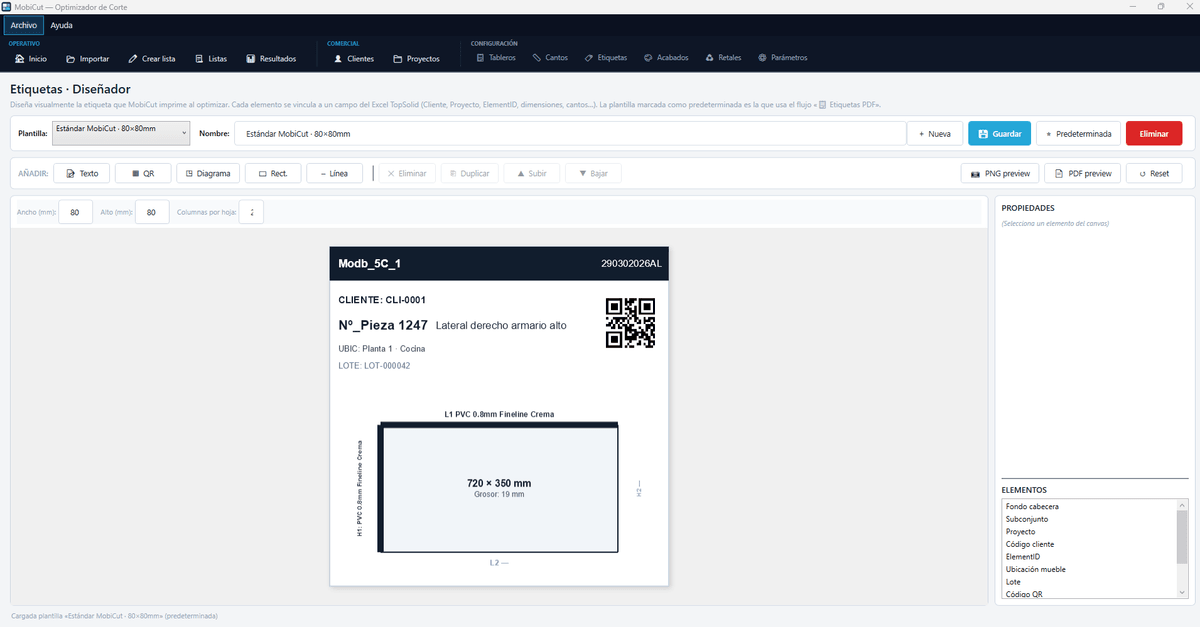
Every label element is bound to a field of the TopSolid'Wood spreadsheet: customer, project, ElementID, dimensions, edges, location, batch. PNG and PDF preview.
Direct output to the panel saw
Homag, Biesse, SCM and Striebig. Every optimisation logs its transfer to the machine and is flagged if corrected afterwards.
Office and Workshop roles
The Workshop station works without sale prices or customer names. Company administrator password, SQL database and daily backup.
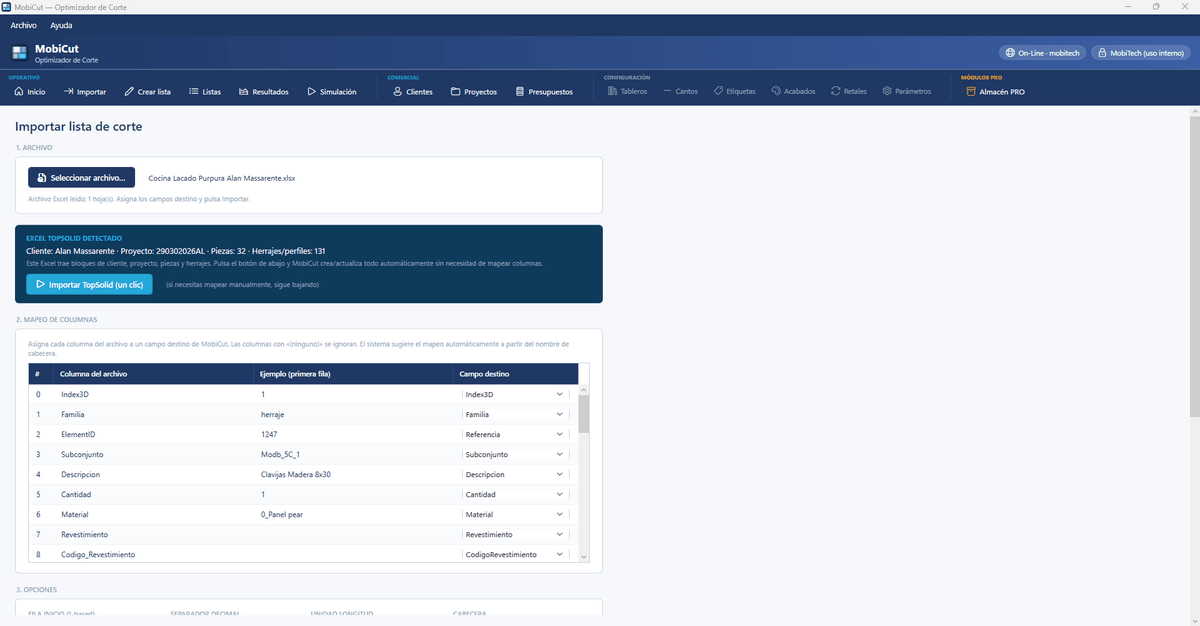
From the TopSolid'Wood project to the cutting list, no typing
Select the spreadsheet generated by TopSolid'Wood and MobiCut detects the customer, project, pieces and hardware block. One click and the list is created with its L1, L2, H1 and H2 edges, no column mapping. If the file does not come from TopSolid'Wood, the mapping is suggested from the header.
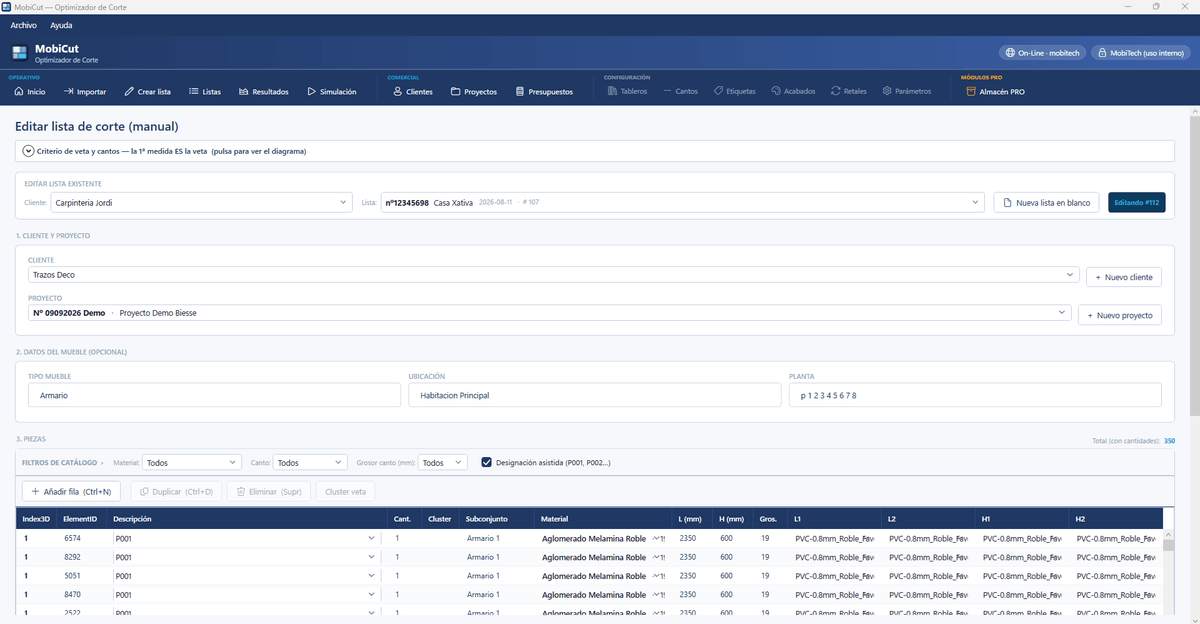
Manual list or order from MobiCut On-Line
When there is no CAD project, the list is created by hand with assisted designation (P001, P002…) and grain cluster. Orders arriving through MobiCut On-Line appear on the home screen ready to optimise.
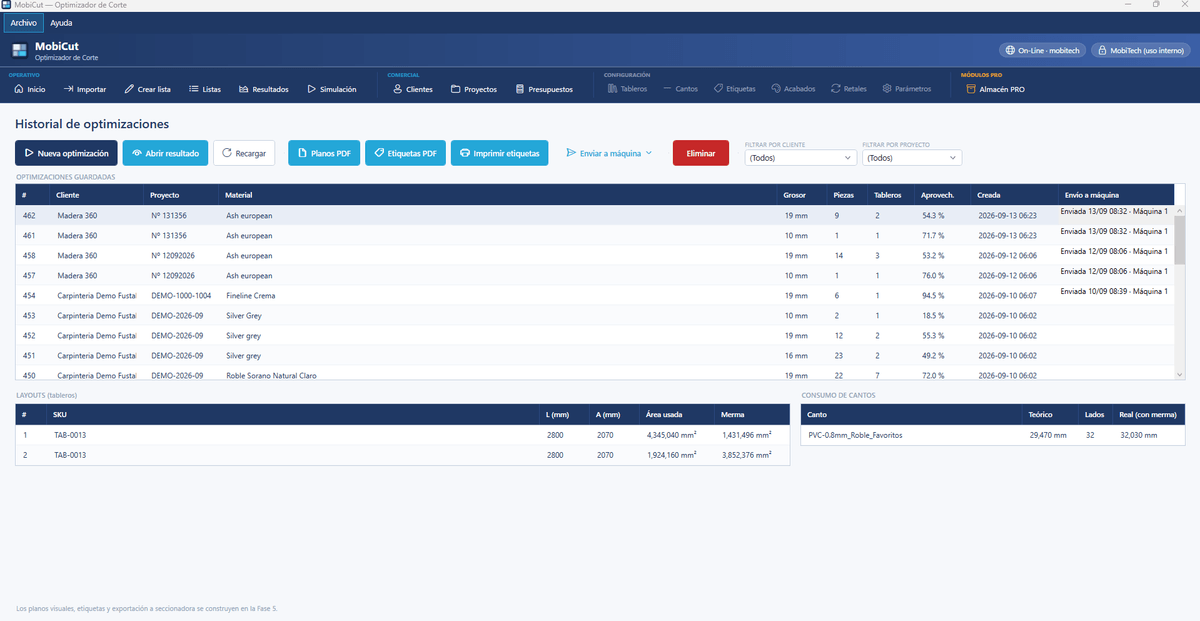
Every optimisation, with its yield and its transfer to the machine
The history keeps customer, project, material, thickness, pieces, boards and yield percentage. From here come the PDF plans, the labels and the transfer to the panel saw, with date and machine recorded.
The panel saw on screen, cut by cut
Choose the optimisation and the simulation walks through the real cycle: trim, strips and cross cuts, with the position of each cut on the machine, its real length and the plan of the board in progress. The program is already in the panel saw, generated by MobiCut: the simulation is the preview of the cycle it will run. Automatic mode, real speed and full screen for the saw station.
- The operator previews the cycle cut by cut before running it
- The program is already in the panel saw, generated by MobiCut
- Previous and next board, step by step or automatic
Boards, edgebands and offcuts: the catalogue that feeds the optimiser
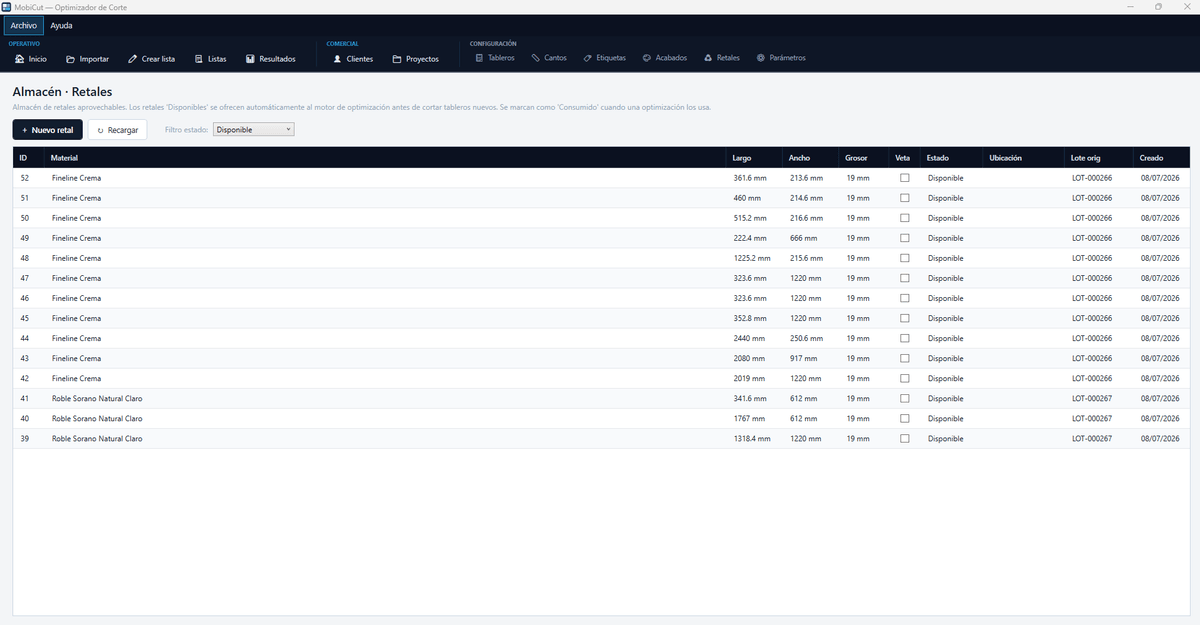
Board catalogue with sizes, thickness, stock, grain and the TopSolid'Wood token that identifies them; edgebands with thickness, height, minimum and maximum edging and stock in metres; and the usable offcut store, which the engine offers before cutting new boards and marks as consumed when used.
QR labels designed by you
Label templates (80×80 by default) with text, QR, piece diagram, rectangles and lines. Every element is bound to a field of the TopSolid'Wood spreadsheet: customer code, project, ElementID, dimensions and thickness, edges per side, location in the furniture and batch.
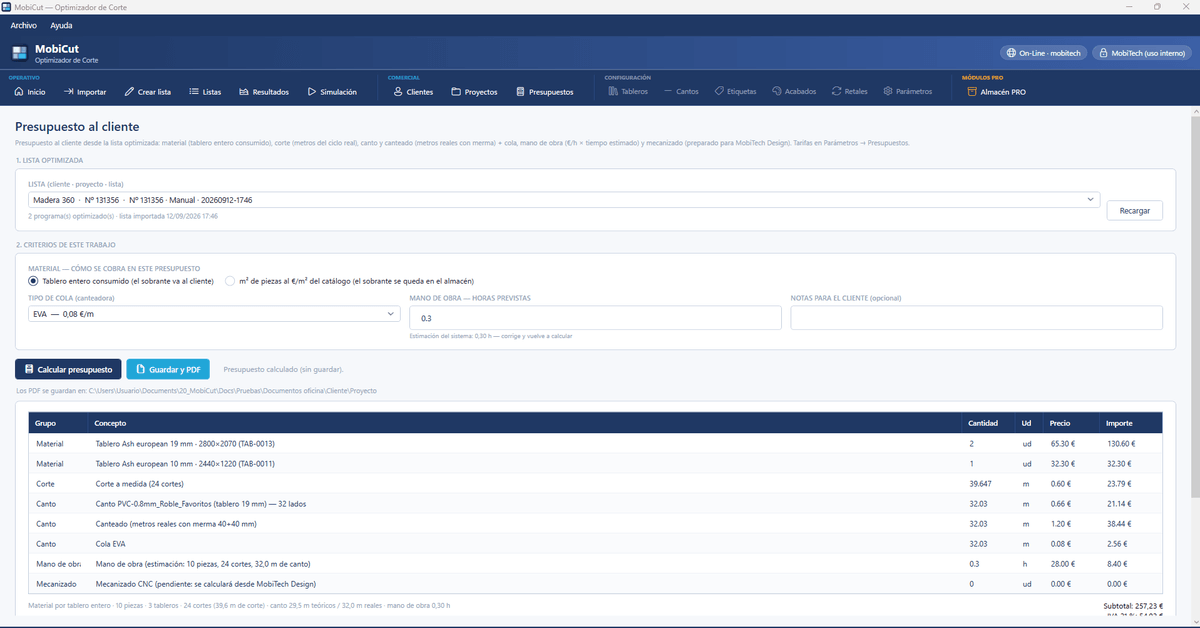
Customer quote from the optimised list
Material is charged per whole board consumed or per square metre of pieces; cutting per metre of the real cycle; edgeband and edging with their waste; glue per type; labour per estimated hours. Rates live in Parameters and the quote is numbered and saved as PDF in the office documents folder.
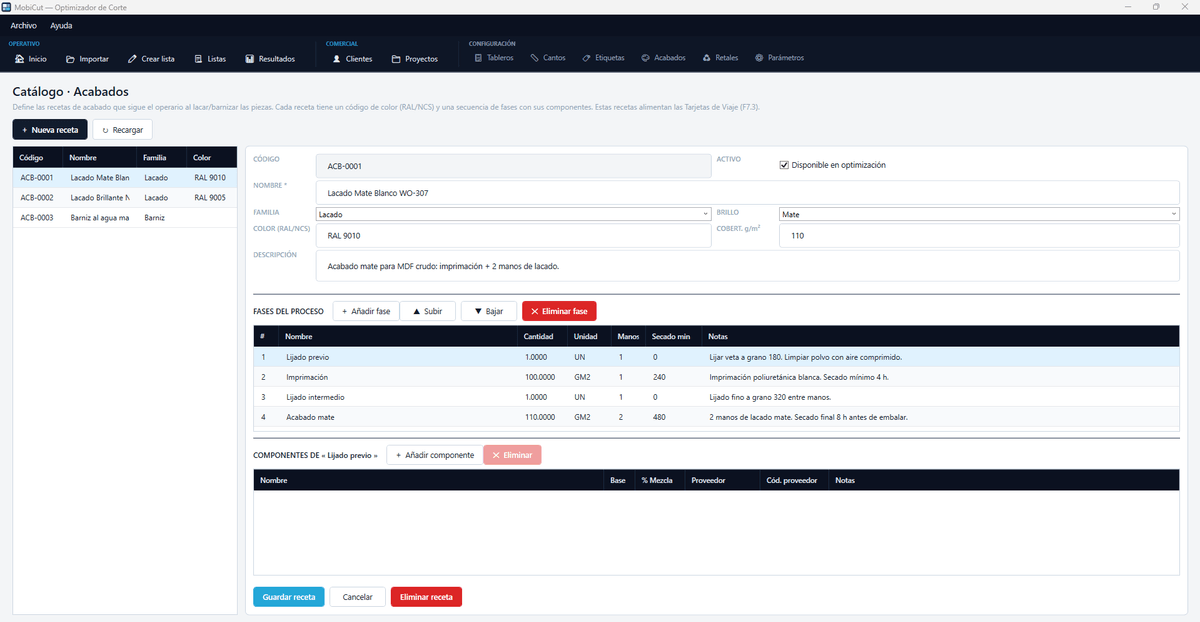
Finish recipes: lacquer, stain and varnish
Every recipe has its RAL or NCS colour code, family, gloss and a sequence of phases with quantity per square metre, coats and drying time. These recipes feed the workshop travel cards.
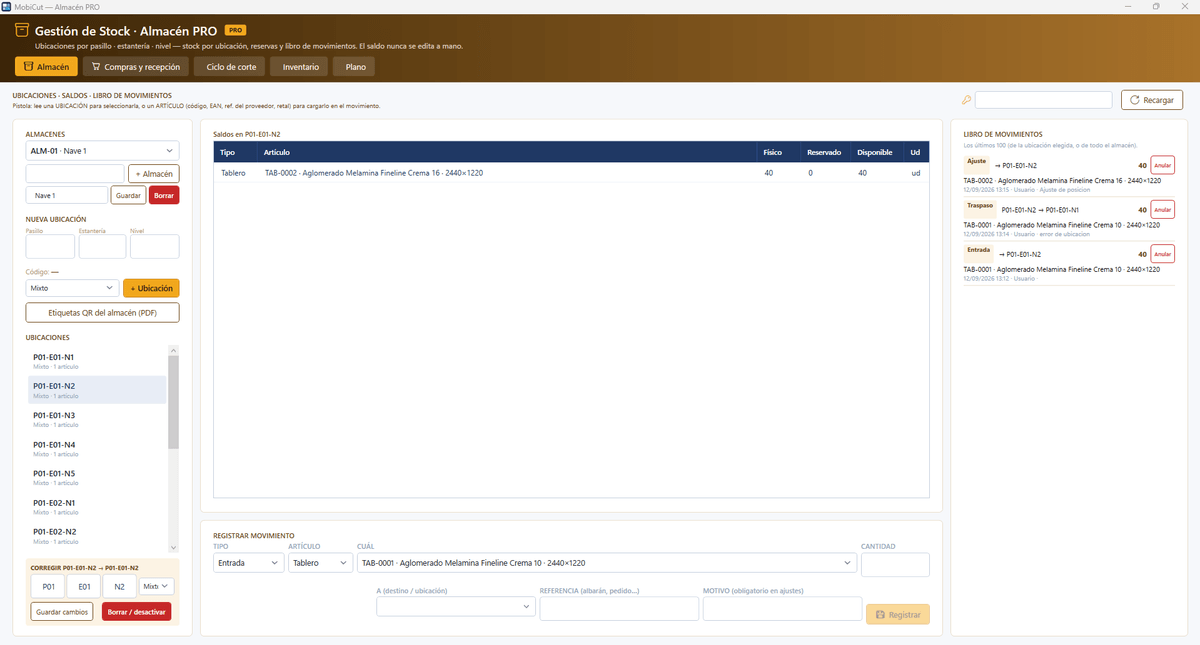
Warehouse PRO: locations, balances and movement ledger
Industrial stock management inside MobiCut, with its own colour. Locations by aisle, rack and level; physical, reserved and available stock per location; warehouse QR labels in PDF; and a movement ledger where the balance is never edited by hand: receipts, transfers and adjustments, with user and reason.
- Scanner: read the location, then the item
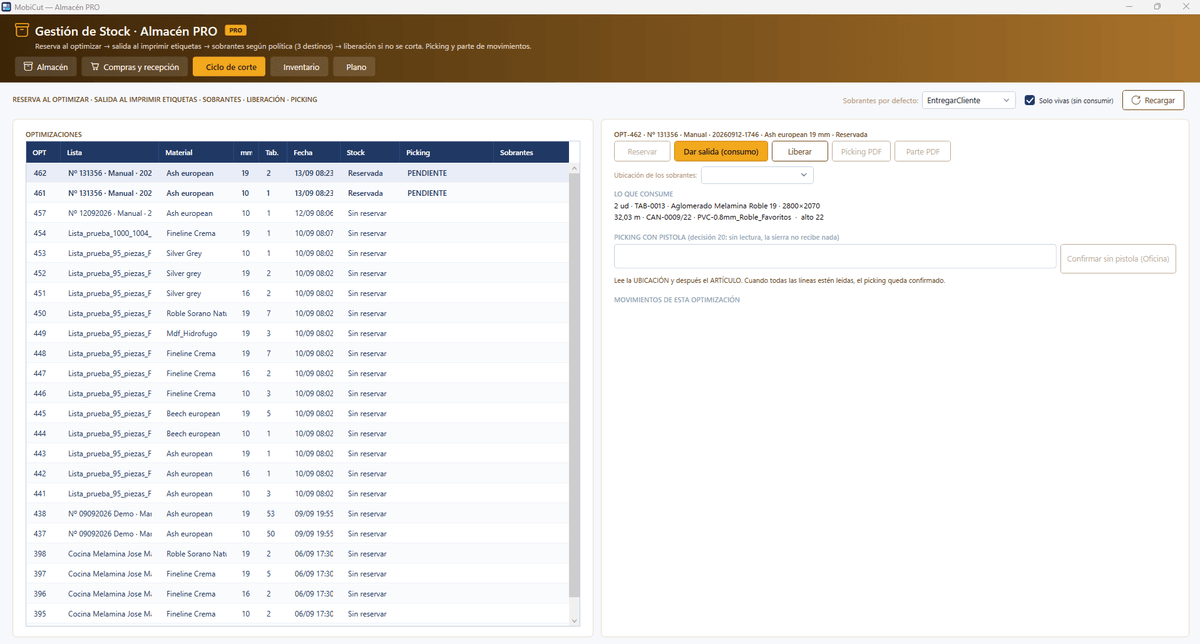
- Reserve when optimising, issue when printing labels
- Leftovers by policy and release if not cut
Cutting cycle: from the reserved board to the stored leftover
Every optimisation shows its stock status: reserved, pending picking or unreserved. On issue, what is actually cut is consumed, boards and metres of edgeband, and leftovers go to their destination according to the chosen policy. Picking with scanner confirmed line by line, or without scanner from the Office.
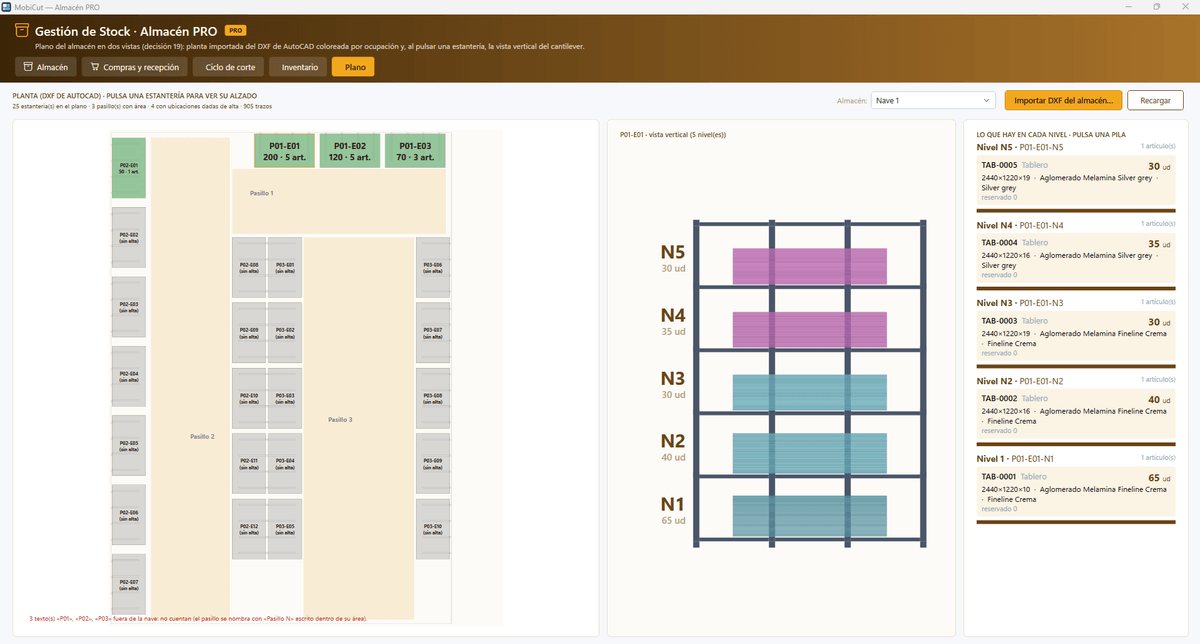
The warehouse plan in two views: floor plan and cantilever elevation
The building DXF is imported and the floor plan is coloured by occupancy, with aisles and racks. Click a rack to see its elevation by level and, on each level, which board is there, how many units and how many reserved.
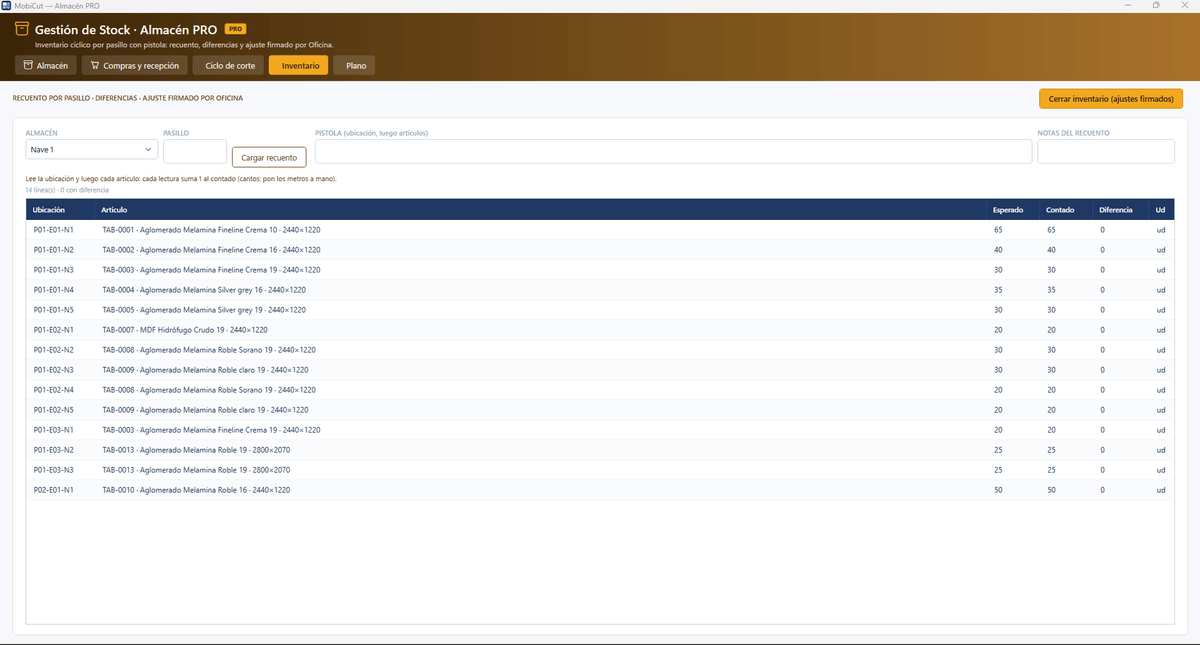
Cycle counting with scanner and purchasing by minimums
Counting by aisle reading location and item: expected, counted and difference per line, and an adjustment signed by the Office on closing. Needs below minimum become a purchase order with PDF, and receipt is checked against the order, with differences, valued entry and receiving document.
Technical specifications
- Output to Homag, Biesse, SCM and Striebig panel saws
- Direct import of the TopSolid'Wood spreadsheet (customer, project, pieces, hardware)
- Optimisation respecting grain, grain clusters and offcut store
- MobiCut Simulation included: preview of the cutting cycle with machine position and board plan
- QR labels with template designer; plans and labels in PDF
- Catalogues of boards, edgebands and finishes (lacquer, stain and varnish recipes)
- Office and Workshop roles; SQL Server database with daily backup
- Orders from MobiCut On-Line; optional licensed modules: Quotes and Warehouse PRO
- Perpetual licence
Other MobiTech software
Want to see it working with your own files?
Tell us how you work and we will show you with a real project from your factory and your machines.
Demo with your own files